Create a professional preliminary invoice for a buyer, calculate the total, and download it as a PDF
Your invoice data stays in this browser tab and is not uploaded or saved.
| Description | Qty | Unit price | Amount |
|---|---|---|---|
| Sample product | 100 | $12.50 | $1250.00 |
This proforma invoice generator helps exporters, wholesalers, ecommerce sellers, and small businesses prepare a preliminary invoice before goods are shipped or a final commercial invoice is issued. Add seller and buyer details, a PI number, dates, currency, multiple products, quantities, unit prices, discount, tax, shipping, payment terms, Incoterms, and notes. The totals update automatically, and the finished document can be printed or downloaded as a PDF without creating an account. Use it when a buyer needs an estimated order value for approval, payment preparation, import planning, or purchase confirmation. A proforma invoice is not normally a final tax invoice or demand for payment; it describes the proposed transaction and helps both parties confirm the commercial terms before fulfillment. All entered information remains in the current browser tab and is not uploaded or stored by SellerTools Online.
An order has 100 units at $12.50 each, so the merchandise subtotal is $1,250. A 10% discount reduces the taxable merchandise amount to $1,125.
With 8% tax on the discounted amount and $75 shipping, tax is $90 and the estimated proforma total is $1,290: $1,250 - $125 + $90 + $75.
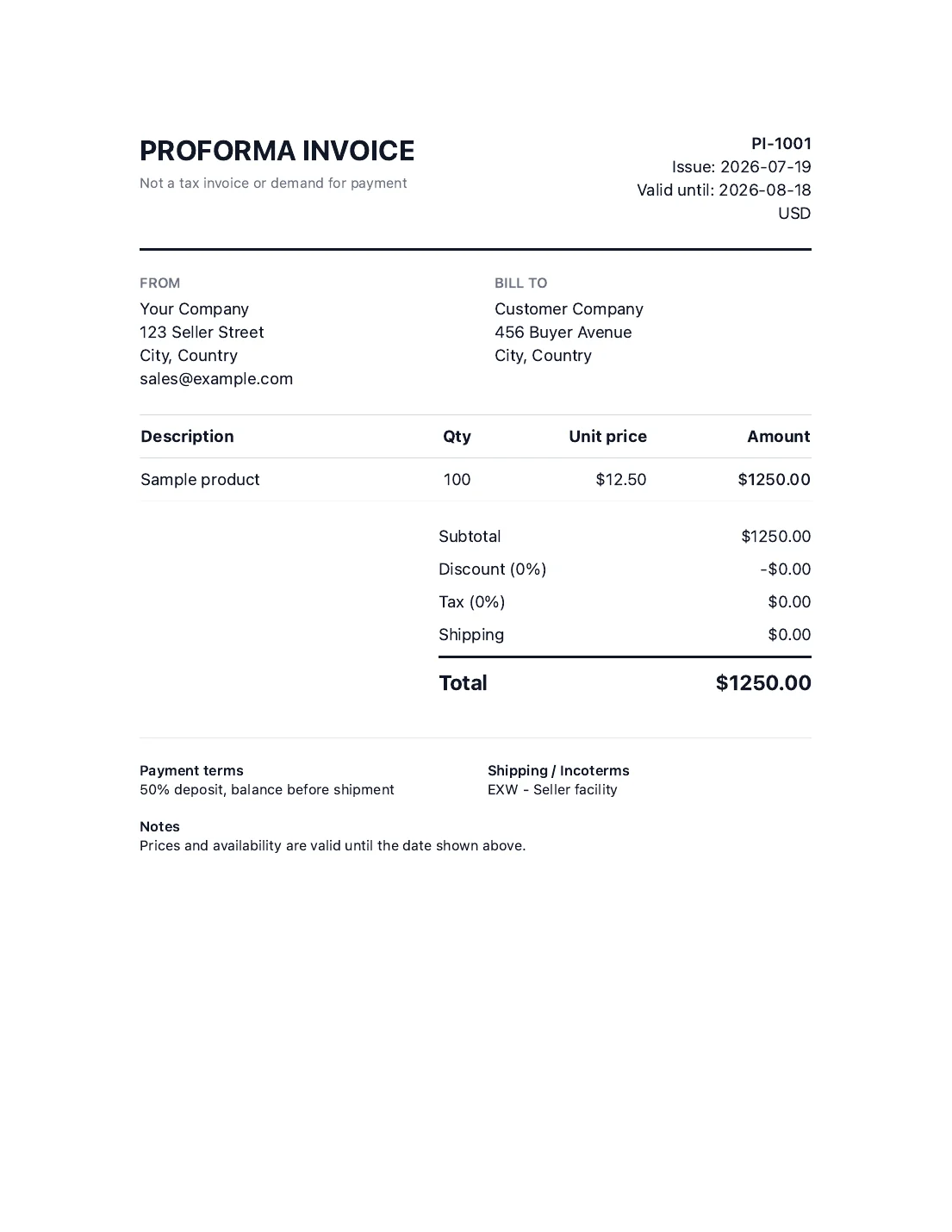
A useful PI should make the proposed transaction easy to verify before the buyer pays or the seller ships. Complete the commercial fields carefully, check the calculation order, and make sure the document is clearly identified as proforma rather than final. This editable proforma invoice template calculates each product line, applies a percentage discount to the merchandise subtotal, calculates tax on the discounted merchandise amount, and then adds shipping. Tax treatment differs by country and transaction, so the tax field is optional and should reflect the rules that apply to your quote.
Enter the legal or trading name, address, country, and useful contact information for both parties. Accurate names and addresses help the buyer match the PI to a purchase request, bank transfer, or import record. Do not include passwords, bank login details, identity documents, or other unnecessary sensitive information.
Give the document a unique proforma invoice number so both parties can refer to the same quote. Add the issue date and a valid-until date. A validity period matters when exchange rates, freight costs, inventory, or supplier prices may change before the buyer confirms the order.
Create one line for each product or service. Use a description that the buyer can recognize, then enter the quantity and price per unit. The line amount equals quantity multiplied by unit price. Add or remove rows as needed; do not combine products with different prices, specifications, or country-of-origin requirements into an unclear single line.
The generator first totals all line items. It then subtracts the percentage discount, calculates tax on the discounted merchandise subtotal, and adds shipping last. This ordering prevents shipping from being discounted or taxed by default. If your jurisdiction taxes freight or requires line-level tax, adjust the figures before relying on the document because this free generator uses one order-level tax rate.
State when and how the buyer is expected to pay, such as a deposit with the balance before shipment. For cross-border orders, include the agreed Incoterm and named place when known. Terms such as EXW, FOB, CIF, or DDP change which party carries freight, insurance, duty, and delivery responsibilities, so they should not be selected casually.
Check spelling, currency, quantities, prices, dates, totals, and commercial terms with the buyer. Select Print or download PDF, choose Save as PDF in the browser print dialog, and keep the final file with the quote or purchase record. The generated PI is a preliminary commercial document; replace or follow it with the appropriate final invoice and shipping documentation when the transaction proceeds.
A proforma invoice is a preliminary document that describes a proposed sale before a final invoice is issued. It commonly lists the seller, buyer, products, quantities, prices, currency, shipping, payment terms, and estimated total. Buyers may use it to approve a purchase, arrange payment, or plan an import. It is generally not the final accounting or tax invoice, although treatment varies by jurisdiction.
Enter the seller and buyer information, add the PI number and validity dates, choose a currency, add each line item, and complete discount, tax, shipping, payment, and delivery terms. Review the preview and use the print button to save it as a PDF. This proforma invoice generator free workflow requires no account and keeps the entered information in the browser tab.
Yes. This proforma invoice maker online creates a print-ready preview while you edit the fields. Select Print or download PDF and choose the browser's Save as PDF destination. Check the page preview before saving, especially when the document contains many product lines that may continue onto another page.
A practical pro forma invoice should include seller and buyer details, a unique reference number, issue and validity dates, currency, product descriptions, quantities, unit prices, subtotal, discount, applicable tax, shipping, total, payment terms, shipping terms, and useful notes. Cross-border transactions may also require origin, HS codes, weights, or bank information, which should be added only when needed and handled securely.
No. A proforma invoice usually describes a proposed transaction before shipment and final billing. A commercial invoice records the completed sale and is commonly used for customs clearance. The information may be similar, but the document purpose, status, and required customs fields differ. Do not label a preliminary quote as a final commercial invoice.
Each line amount is quantity multiplied by unit price. The line amounts form the merchandise subtotal. The percentage discount is subtracted from that subtotal, tax is calculated on the discounted merchandise amount, and shipping is added afterward. The total is therefore subtotal minus discount plus tax plus shipping. Confirm local tax treatment because some jurisdictions tax freight or require different rules.
Both can describe a proposed sale, but a quotation often focuses on price and scope while a PI presents the transaction in an invoice-style format that buyers can use for internal approval, payment planning, or import preparation. Business practice differs, so confirm which document the buyer, bank, freight forwarder, or customs broker expects.
Yes, but a basic template may not contain every customs or logistics field. Add clear product descriptions, currency, Incoterms, and shipping details, then confirm whether origin, HS codes, gross and net weight, package count, insurance, or banking information is required. When goods actually ship, prepare the correct commercial invoice and other documents requested by the carrier or customs authority.
No. The form is calculated in the current browser tab. SellerTools Online does not receive or store the seller, buyer, product, price, or payment-term information entered into this generator. Save the PDF before closing or refreshing the tab because the current values may be lost.
Learn how landed cost, markup, margin, fees, and shipping affect product pricing in our product pricing guide.
